 by Alexey Goncharov · 15 years in tech
Have a product idea but no team? Build it yourself with AI in 14 days.
AI is your build team. You set the direction. AI handles the build.
build with the same tools professional developers use: Claude, ChatGPT, Next.js, PostgreSQL, MongoDB
- Claude
- ChatGPT
- Next.js
- PostgreSQL
- MongoDB
- Claude
- ChatGPT
- Next.js
- PostgreSQL
- MongoDB
- Claude
- ChatGPT
- Next.js
- PostgreSQL
- MongoDB
After 14 days, you will have

Website or web app
A working product, not a mockup. Anyone can open it from a link.
ready to share

Your domain, securely hosted
It runs online around the clock on your own domain with a secure connection.
online 24/7

Telegram bot
If your idea belongs in chat, a bot can answer questions and collect requests.
requests arrive automatically

AI inside the product
Generate text, images, and answers without sending users to another service.
useful AI features built in

Sign-in and user accounts
Users can register while their details and orders stay safely stored.
your own user database
Payments
Accept payments or bookings inside the product through Stripe.
money reaches your account

Admin dashboard
Manage requests, users, and orders from one place.
everything in one view

A plan after launch
A checklist for the next version, so you always know what comes next.
clear next steps
You are not buying a folder of lessons. You are building the first working version of your product.
You have the idea, but no product. Launch it yourself.
Developers are expensive
An agency wants a full production budget before you have tested the idea with a single user.
Freelancers can be unpredictable
They answer today, disappear tomorrow, then charge extra for every revision.
You do not have a team
Hiring people can take months. Your idea needs to be tested now.
Every change depends on someone else
A button, paragraph, form, payment, or page becomes another ticket and another wait.
AI and no-code only get you so far
A demo is easy. A product with data, payments, and access control takes more work.
You need a link, not a deck
Testing an idea takes a working version in the browser, not another PDF describing it.
Launch no longer starts with finding a team
The usual way
- ✕The idea sits in your notes for months
- ✕You search for someone to build it
- ✕Every change costs extra
- ✕You receive a mockup or half-finished product
- ✕You do not know what to build first
- ✕You worry about wasting the budget again
With Shipkit
- ✓You have a working link in 14 days
- ✓You build the first version yourself with AI
- ✓You learn to change the product on your own
- ✓Your product has data, accounts, payments, and admin tools
- ✓You follow a focused product plan
- ✓You test the idea before committing a large budget
These aren't case studies. They're live products, built with the same 12 steps you'll follow
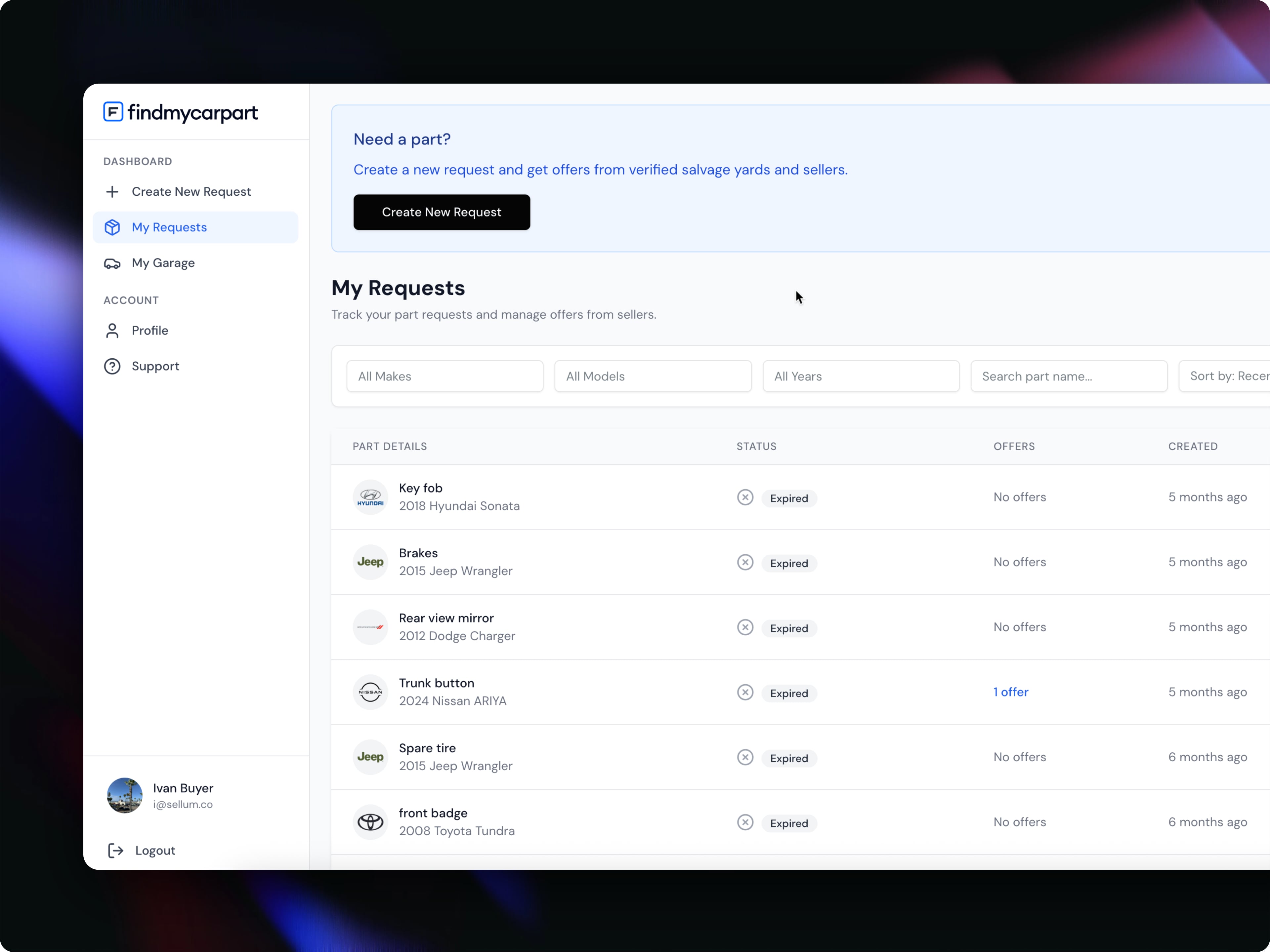
FindMyCarPart
findmycarpart.comA reverse marketplace for auto parts in the US. Buyers post a request and verified sellers respond with offers.
- Marketplace for buyers and sellers
- Requests matched with supplier offers
- Make, model, and year filters
- Accounts, saved vehicles, and request statuses
- Direct messaging and offer exchange
Accounts, requests, admin — the same building blocks you'll ship.
Next.js · Claude Code · Supabase — the stack the course teaches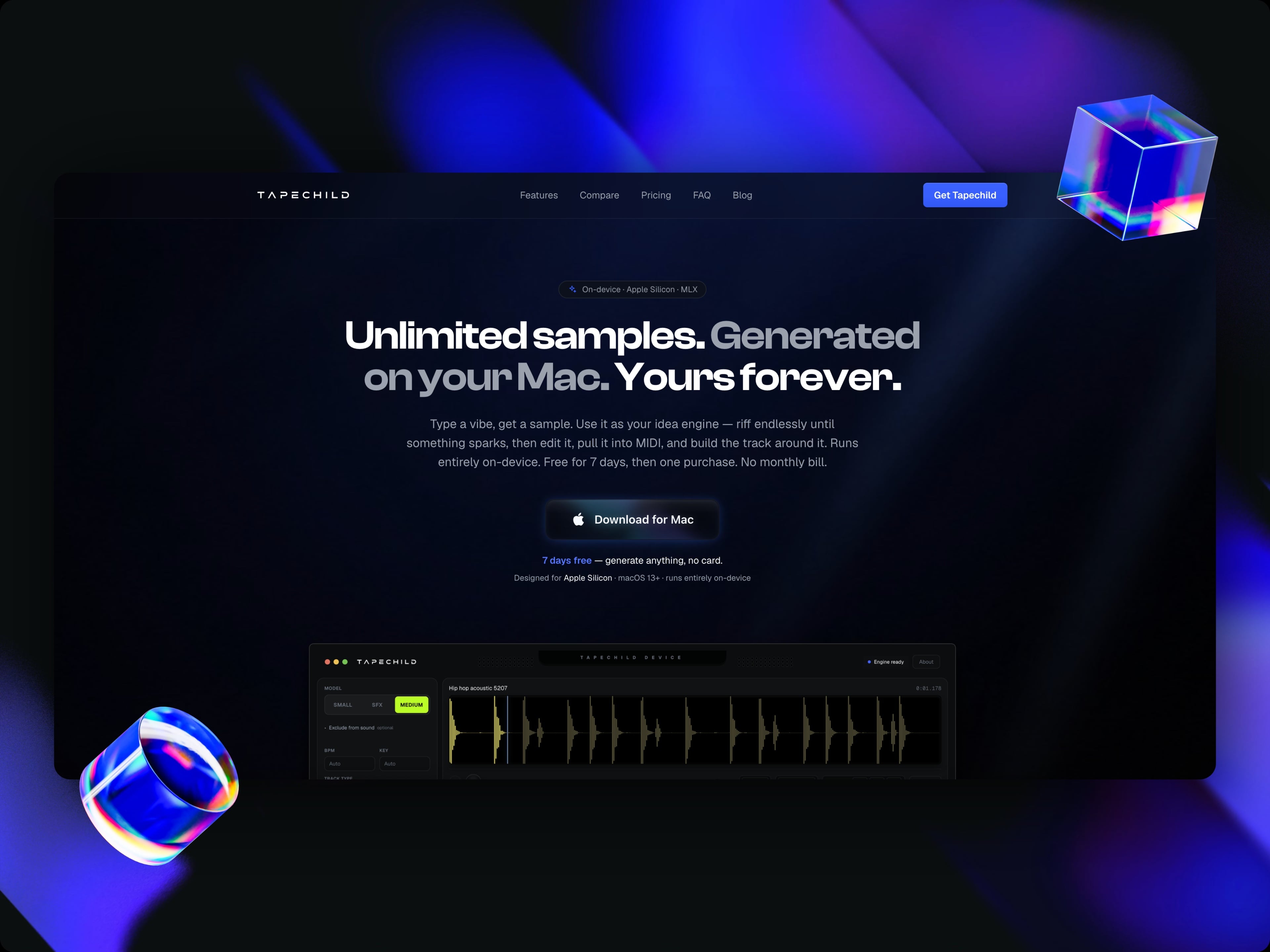
Tapechild
tapechild.comA sample and loop generator that runs locally on a Mac. Describe a sound, generate it, and export it to MIDI.
- Native macOS app for Apple Silicon
- Local, on-device AI audio generation
- Custom MLX generation engine
- MIDI export and sample editor
- Subscriptions and saved payment methods
Built solo with AI — no engineering team, no hand-written code.
macOS · on-device AI · subscriptions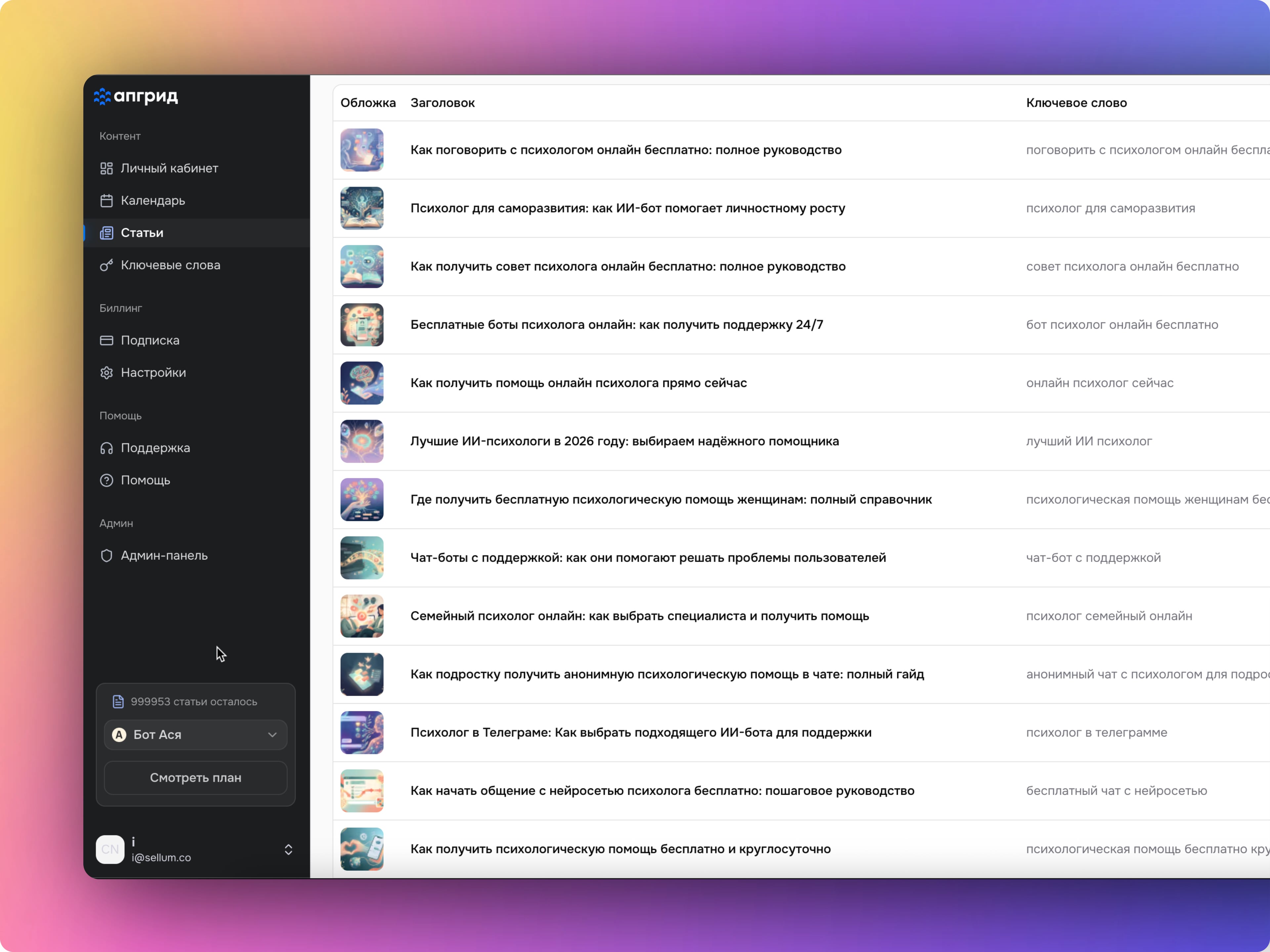
Upgrid
upgrid.proAn AI publishing service with projects, job queues, articles, cover images, usage limits, and billing in one dashboard.
- Automated article and cover generation
- Keyword research and clustering
- Multiple projects, calendar, and publishing queue
- Billing, subscriptions, and plan limits
- User dashboard and admin tools
Billing, limits, dashboard — straight from the course modules.
SaaS · subscriptions · AI content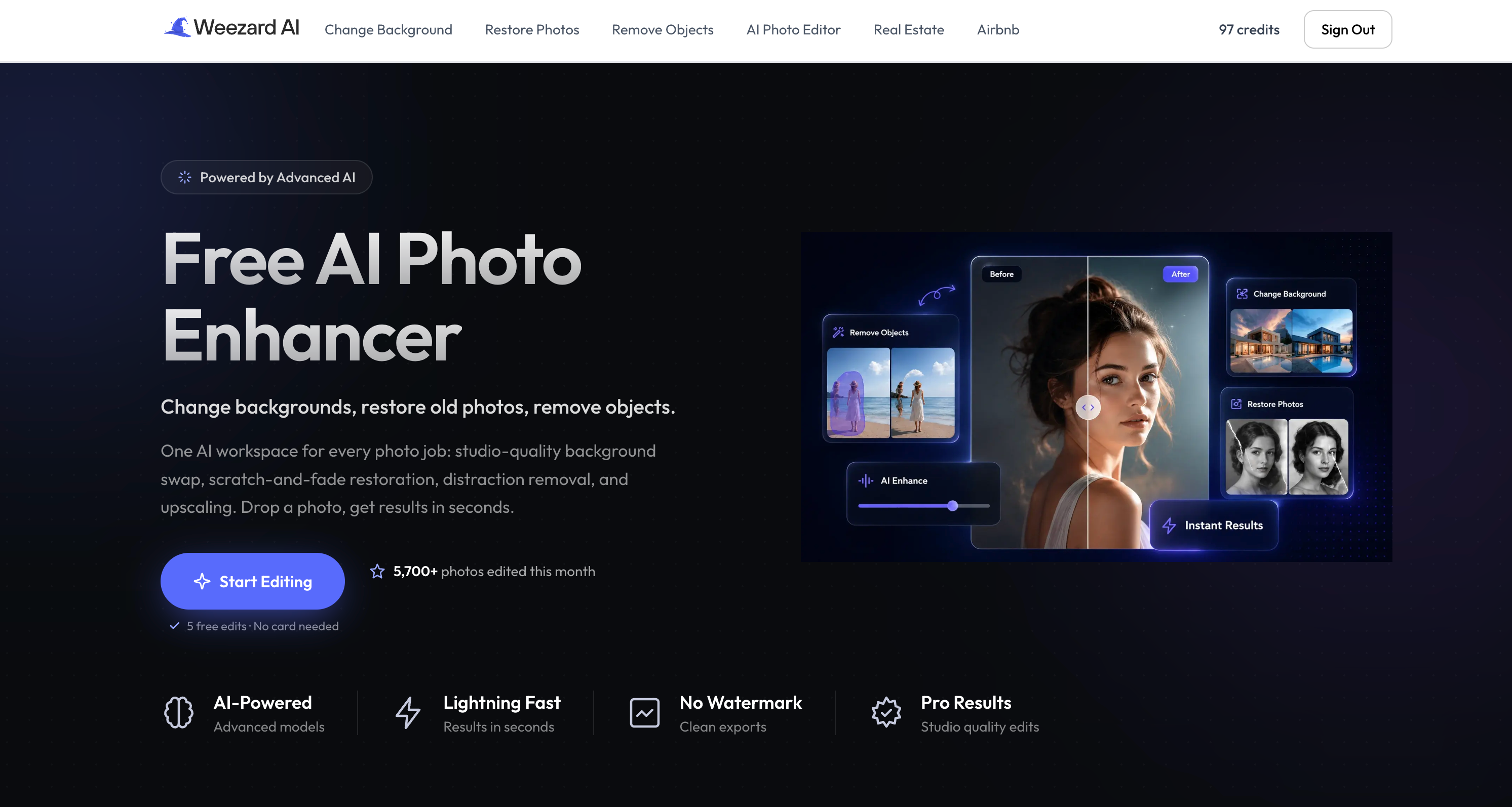
Weezard
weezard.appAn AI photo editor for changing backgrounds, restoring old photos, removing objects, and upscaling images in seconds.
- Background, restoration, object removal, and upscale tools
- Credit system and free revisions
- Stripe subscriptions and saved cards
- Workflows for real estate and Airbnb
Stripe, credits, subscriptions — exactly the payments module.
English market · Stripe · subscriptions
Asya
getasya.ruAn anonymous emotional support bot in Telegram. Deployed on a server, running around the clock, with more than 50,000 real users.
- AI text generation for natural, supportive conversation
- AI voice generation: the bot replies with voice
- Online payments: subscriptions and saved payment methods
- Deployed on a server, running 24/7
- 50,000+ real users
AI, payments, deploy — steps 5–8 of the course, at scale.
Telegram · subscriptions · 50,000+ usersNo invented case studies. No stock-photo students. These are my own products — live, paid for, and used by real people. The course walks you through the exact same process. Launch yours, and it goes here next.
5 products live · 50,000+ usersYour product does more than go live. It accepts payments and renews subscriptions automatically
Payments are direct evidence. This is not a promise to add payments later. These are transactions from a working product.
payments · subscriptions · 24/7The same process, taught step by step
Can you really do this in 14 days?
What you need: the basics your product depends on.
Theory and concepts you may never use.
Those courses train people for software jobs. You are not applying for one. You are testing an idea, and that takes a smaller, focused skill set.
AI writes code, fixes bugs, and assembles parts of the product. You do not need to memorize how CSS box-shadow works. Ask for what you need.
AI becomes useful when you understand the basics and know what to ask for.
Learn what you need
Skip the extra theory and focus on what the product requires.
Build with AI
AI writes code and handles routine work, so you can move faster.
Launch the idea
Finish with a working link in the browser, not a mockup or presentation.
I used this process to build products that real customers use today
Three steps from idea to launch
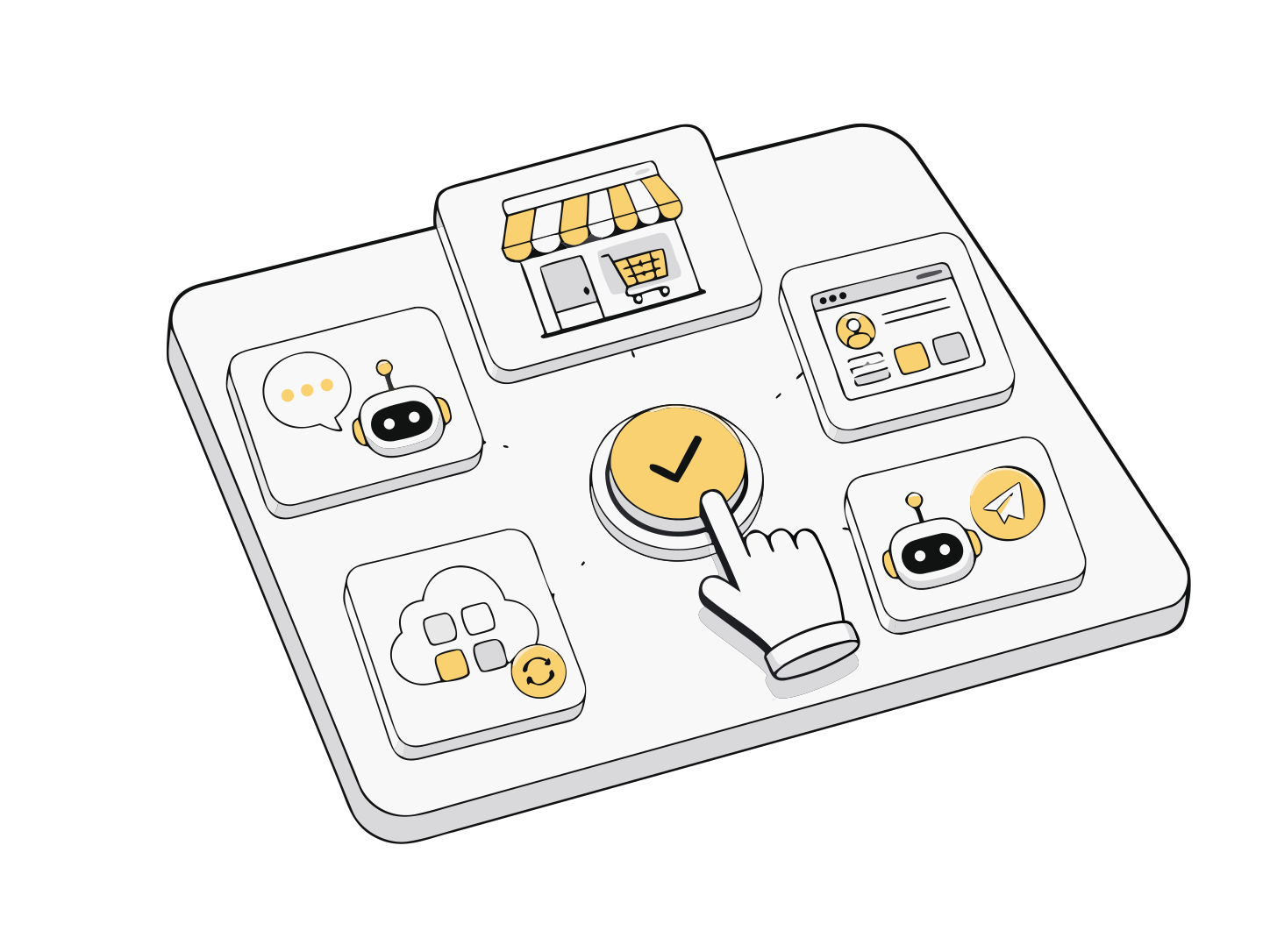
Choose your project
Decide whether you need a website, web app, or bot.
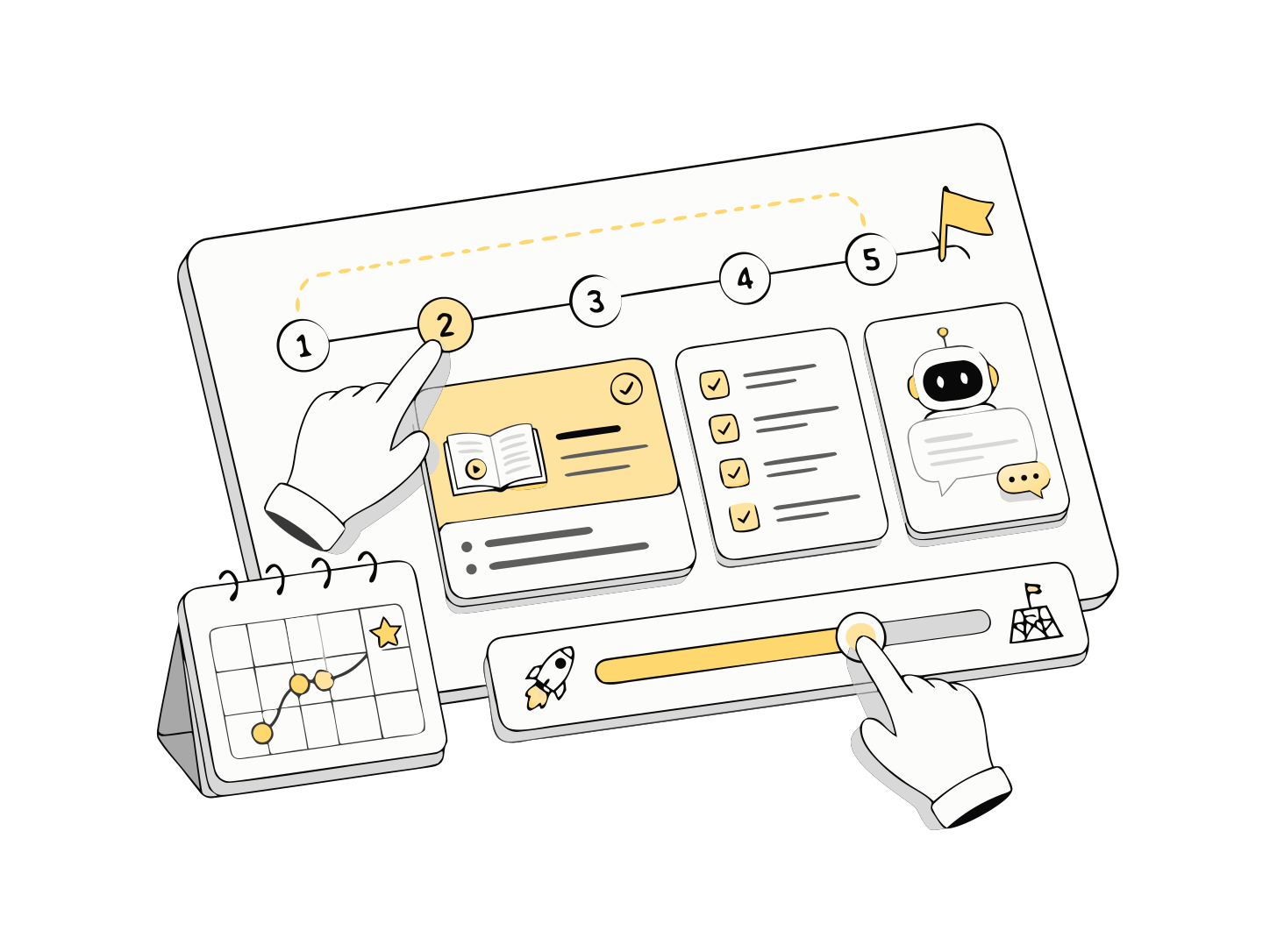
Follow the plan
A focused plan for your product. Every step moves it closer to launch.
Launch your product
You finish with a live product, not a certificate. Open it, test it, and keep improving it.

What you get
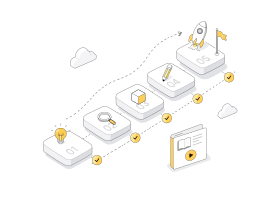
A focused lesson plan for your product, with concise guidance and ready-to-use prompts.
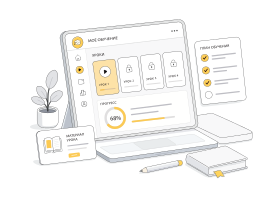
Your own dashboard with lessons, checklists, and a clear progress score.
A private space to ask questions, share progress, and get unstuck.

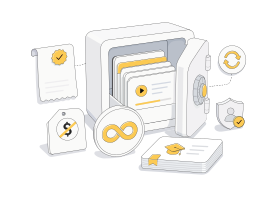
Pay once. Keep every lesson and update with no subscription.
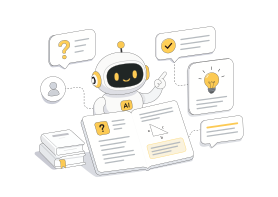
Ask AI inside any lesson: explain this more simply, here is my error, or what should I do next?
Finish with a working app on your own domain, ready to test and improve.

A prompt is not enough. AI needs a system.
Prompts for every stage
From the idea and structure to the interface, API, database, debugging, and final checks. Each prompt is written for a specific job.
How to direct AI
Learn to define a task, review the answer, undo changes, fix errors, and keep unnecessary features out of the product.
Tool map
Know what to open, where to click, and why: Claude Code, Codex, GitHub, Vercel, Supabase, payments, domains, and product analytics.
Solution templates
Working patterns for forms, user accounts, limits, roles, saved data, AI responses, requests, notifications, and admin tools.
Fix problems without panic
If AI breaks the project, you do not start over. You'll know what to copy, what to ask, what to check, and when to roll back.
You are building more than a one-off chat response or a random bundle of code. Your product gets the same foundations a working team would add: data protection, room to grow, pre-launch checks, and error handling. It will not fall over when the first user arrives.
foundations, not a demoYou do not start from an empty file
What can you build with Shipkit?
AI audit for a website, ad, resume, listing, or article
Calculator, recommendation tool, generator, or analyzer
Client portal
Telegram bot for requests, advice, or support
Small CRM or internal portal
Subscription SaaS
Service with payments, limits, and access control
Tool for marketing, education, real estate, recruiting, e-commerce, or consulting
A simple test: if the idea can become a page, form, AI feature, database, user area, payment flow, bot, or admin tool, you can build and test its first version.
Who this is for
- 01
You have a business or idea, but no team
You want to test it quickly instead of spending months hiring people and writing long specifications.
- 02
You know your field and want to build a product
If you understand a customer problem in marketing, product management, design, education, analytics, real estate, e-commerce, consulting, or operations, you can turn it into a tool.
- 03
Contractors have let you down before
You paid, waited, revised, and still did not get the right result. Now you want to understand the product and control the work.
This is not for you if you
The product will not build or sell itself. This is a practical route for creating your own service.
- expect one button to do everything for you
- want a complex enterprise product in 14 days
- cannot set aside one or two hours a day
- expect guaranteed income without testing the idea
- want to spend years studying programming
In 14 days, you will have more than a product. You will have control.
Shipkit helps you test an idea, understand how your product works, and stop depending on someone else to make every change.
Show the idea with a link instead of explaining it.
Understand how the product is built and where to change it.
Test assumptions without waiting for a contractor.
Stop asking who will build the next version.
Decide whether the idea deserves a full team.
Turn your expertise into an asset you own.
12 steps from your first prompt to launch
Every step includes work on your own product. Read, build, and move closer to launch without hundreds of lessons added for volume.
Start: building products with AI
Learn the working rhythm: you define the task, AI helps build it, and you review the result.
- your role is direction; AI handles the routine
- when to use ChatGPT, Claude, Cursor, and Codex
- how to give AI a clear task
- how to review code you cannot read yet
- what to do when something breaks
- small steps instead of one huge request
Prompting: explain the job clearly
Give AI tasks the way you would brief a capable junior: use steps, examples, and a clear result.
- the parts of a useful request
- how to give AI project context
- how to request code in small pieces
- how to get a plain-English error explanation
- how to keep AI within the project structure
- a prompt library for product work
Foundation: how web products fit together
Build the base used by every project in the course, then reuse it throughout.
- create your first Next.js project
- understand the file structure
- what TypeScript and Tailwind do
- use polished blocks instead of starting from scratch
- GitHub for storing code and rolling back
- recover when AI breaks something
Project one: a landing page that sells
Build a product page that explains the offer and leads visitors toward a purchase.
- the sections a sales page needs
- a hero section that explains the product
- audience, contents, and timing sections
- pricing and common questions
- a layout that works on phones
- AI for copy, structure, and design ideas
Project two: AI chat for a website
Build a chat that answers visitors through ChatGPT, Claude, or Gemini.
- chat window, messages, and sending
- connect the website to AI through an API
- ChatGPT, OpenRouter, and Gemini explained
- set the chat's behavior and rules
- remember the conversation
- limits and safeguards for predictable costs
Project three: an AI tool with a form
Build a focused tool where users enter information and AI returns a useful result.
- design the input form
- process the request with AI
- return a clear, structured answer
- save and reuse the result
- examples: copy generator, site audit, business assistant
Data and user accounts
Add a database and private user area to turn the project into an online service.
- what a database is for
- store users and their data with Supabase
- registration and sign-in
- a private user dashboard
- saved request history
- roles and access control
Payments and access
Connect online payments and give access only to paying users.
- accept payments with Stripe
- one-time purchases and subscriptions
- success and cancellation pages
- automatic payment notifications
- access for paying users
- AI usage limits
Admin tools and business logic
Build a simple dashboard for users, payments, and requests.
- admin dashboard
- tables and statuses
- users and their requests
- payments in one place
- AI request history
- basic product analytics
Integrations and automation
Connect email, Telegram, and spreadsheets so routine work runs by itself.
- how integrations work
- API keys and security
- email notifications
- Telegram notifications
- send data to a spreadsheet
- automate request, AI, email, Telegram, and spreadsheet steps
Final project: your complete AI product
Combine a landing page, AI feature, user area, payments, database, and admin tools into one product.
- choose a product idea
- build the first working version
- connect AI
- add payments
- store user data
- set paid access
- prepare for launch
Publish and launch
Put the product online, connect a domain, and test the full user flow from a public link.
- publish with Vercel or Railway
- configure secrets and settings
- connect your own domain
- add page metadata
- track events and errors
- complete the launch checklist
The course is released in stages: modules open one by one, in the order you need them. Founding members receive every module and future update at no extra cost.
Try the first lessons free
I have spent 15 years in tech, ten of them building products — first alone, later with teams. I'm based in San Diego, California. I kept seeing the same gap: people with good ideas got stuck at the blank page, while skilled builders searched for ideas.
Shipkit came from the process I use in my own work, simplified for someone with an idea but no technical background. It is not a classroom imitation — it follows the same steps I use every day.
I will not invent case studies or present stock photos as students. The five live products on this page are my evidence. When you launch yours, the next story can be about your work.
15 years in tech
5 launched and running
50,000+ across my products
Founding-member pricing. It will not get lower
Access
everything you need to build and launch
one payment · lifetime access · no subscription
- Every lesson in the core path, plus new tracks as they are released
- AI inside the lessons, with a monthly request limit
- Working starter project with sign-in, database, payments, and hosting connected
- Prompt library for every stage from idea to launch
- Tool map: AI, GitHub, Vercel, Supabase, domains, and payments
- AI direction skills: define tasks, review results, and fix errors
- Progress and launch-readiness checklists
- Library of UI blocks and product templates
- Lifetime access and all updates
Finish the first two modules — if your first screens aren't working, we refund in full.
Access Pro
build it, then charge for it
one payment · lifetime access · no subscription
Everything in Access, plus:
- Paid access inside your product: Subscriptions, credits, one-time payments, plans, and limits — so you can test how customers actually buy, not keep it in a slide deck.
- A base for the next version: Structure the project so you, AI, or another developer can keep improving it after launch.
- Higher AI limit: More in-lesson AI requests, enough headroom for a larger product.
Finish the first two modules — if your first screens aren't working, we refund in full.
What the kit costs if you source it separately
- Working starter project: sign-in, database, payments, hosting (≈40 agency hours)$4,000+
- Prompt library and solution templates for every build stage$300
- In-lesson AI assistant with a monthly request allowance$240/yr
- Library of UI blocks and product templates$300
- Lifetime updates as the AI tooling changesongoing
- Build value, before the lessons$4,800+
You get all of it, plus the 12-step path itself, for $179. We'd rather have a hundred launched products than a higher price tag.
Frequently asked questions
No. This is for people with an idea, not people who want to spend years learning to code. The basics are explained in plain language, and AI handles routine work. It is not a magic button, though: you still build the product and learn how it works.
Yes, if you can reduce it to a first version: a page, form, AI feature, database, user area, payment flow, bot, or admin tool. You build enough to test the idea instead of attempting a huge system at once.
Yes. There is a 14-day guarantee: go through the first two modules, and if you don't have your first screens working, email us within 14 days of purchase and we refund in full. The only condition is that you actually tried — show what you built and where you got stuck.
Yes. You can build a new startup or a tool for an existing business: a lead generator, client portal, internal CRM, AI assistant, request system, payment flow, bot, or automation.
Yes. The course is paced for one or two hours a day, so you can test a side project without quitting your job or betting everything on it.
A freelancer can build it for you, but every later change still depends on them. Shipkit has a different goal: you understand the foundation, build the first version yourself, and change it without waiting on anyone.
An AI builder helps with code. It does not decide what to build first, keep the scope under control, or guide you through payments, data, access, limits, analytics, and launch.
You can, and many people do — for months. Tutorials teach tools in isolation; nobody sequences them into one product, hands you a working starter project, or tells you what to skip. You are not paying for information. You are paying for the order of steps, the starter kit, and the shortest path to a live product.
Compare it to the alternatives. An agency quotes $15,000+ for the same first version. A freelancer charges $2,000–5,000 and keeps every future change in their hands. One invoice you never pay covers this course dozens of times over — and the skill stays with you for every next idea.
Text is faster to scan, follow, and revisit. You do not need to scrub through a 40-minute video to find one instruction, and lessons can be kept current as tools change.
Because this is honestly the founding group — there has been no launch push yet. I will not invent case studies or use stock photos as students. Instead, I show products I have built and launched myself. Your project could be the first story here.
Next.js, TypeScript, Tailwind, databases, sign-in, payments, and hosting — exactly the set I use for my own products, explained in plain language. For AI, the course uses Claude Code and Codex. Nothing added just to pad a syllabus.
A working first version with a public link, domain, database, user area, payments, and admin tools. Honestly: it is built to test an idea, not to serve millions of users on day one.
An AI subscription (Claude or ChatGPT, about $20 a month) and, if you want one, your own domain (about $10–15 a year). Hosting and the database run on free service tiers at the start, so infrastructure costs nothing until you have real users.
You will not become an expert programmer in two weeks. But you will understand the product structure, change copy and pages, add simple features, and give AI clear instructions — without hiring someone for every edit.
Ask AI inside the lesson: explain this more simply, here is my error, what should I do next. Plus checklists and a common-questions library. To be honest: this is a self-paced platform. I do not promise one-on-one hand-holding at every step — that would not scale to everyone.
You can read lessons and complete checklists on any device. Building the product itself is easier on a computer, because you work with a code editor.
Fourteen days is the pace for active work, not a deadline. Your access never expires, so you can go at your own speed and come back whenever your schedule allows.
You pay once, and the lessons and updates stay yours with no subscription. The in-lesson AI has a monthly request limit — otherwise AI costs would eat the product.